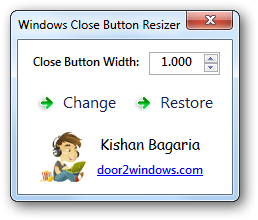
For whatever reason, I'm unable to resize my close button. Doesn't matter what I set the value to, it doesn't seem to do anything. Running it as an administrator doesn't even bring up the initial dialog warning, and even on the one occasion it did, it still won't resize the button.
Similar thing happened with your start orb changer, but I tracked down an older version which seemed to work just fine. Any ideas? My start button has (for an unknown reason) been resized to the same size the minimize and maximize, and on smaller windows (with only the 'x' button) the width seems to be far too narrow.
It partially works, I can set the values and it changes, but any digits after the comma will have no effect, so I can only change between 1, 2 ,3 ,4 etc. Might be because of the skin I use (Adobulated), or is this the same behaviour for you?
Oh, I figured out why it's not working for me. Since I use the German language pack and we use a comma as decimal mark instead of a dot, the conversion is not working correctly, it basically removes all digits after the comma to round it up as a working number. Using a dot as decimal mark is not working though, so what I have to do is change language pack in Windows 7 to english, log off and in again, use your tool (it throws up an error (bug in comma dot conversion I guess), but I can proceed), change the decimal to 1.4, apply (works), then change language again back to German. Kind of an annoying workaround, could you look into your great tool and see if you can catch the kind of decimal mark and eventually convert it?
The Artist has requested Critique on this Artwork
Please sign up or login to post a critique.